Every US trademark application — yours or anyone else's — has a status that tells you where it stands in the USPTO process. That status changes over time: filed, under examination, published for opposition, registered, or abandoned.
Here's how to check trademark status for any application, what each status actually means, and what you should be monitoring if you have a pending application.
The fastest way to check
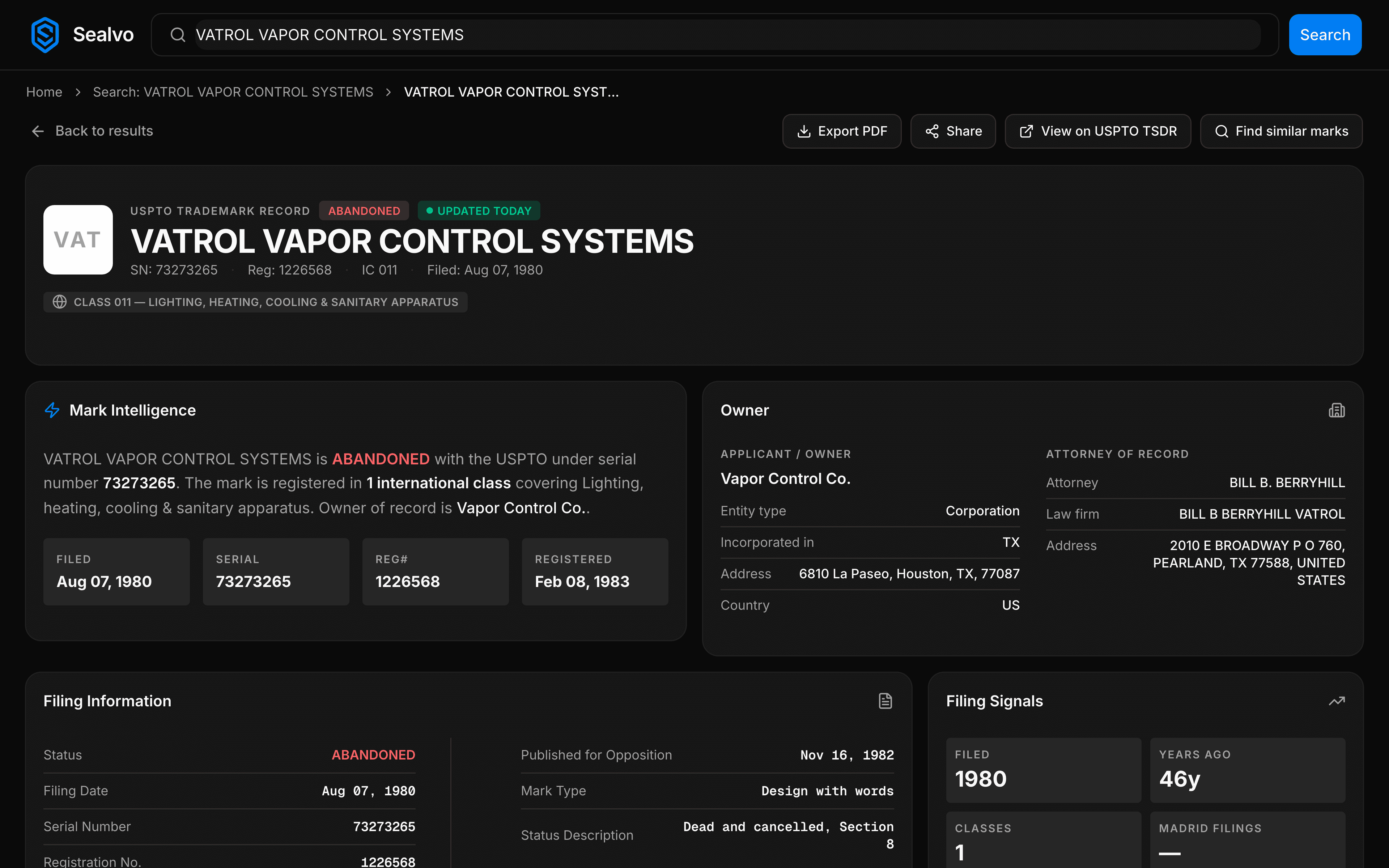
If you have a serial number, go to Sealvo, type it into the search bar, and hit enter. The mark detail page shows the current status, the full prosecution history, and any upcoming deadlines. Serial numbers are 7–9 digits and assigned by the USPTO at filing.
If you don't have a serial number, search by the trademark name or the owner's company name. Filter results to your relevant category using the Nice class filter, then click through to the record you want.
The three main statuses
Registered
The USPTO has examined the application, found no conflicts, published it for opposition, and issued a registration certificate. The owner has exclusive nationwide rights to use the mark for the goods and services listed.
Registered marks can use the ® symbol. They must be maintained with a Section 8 declaration (years 5–6) and renewed every 10 years.
Pending
The application has been filed but not yet approved for registration. It's somewhere in the examination pipeline — waiting for an examiner, under active review, published for opposition, or in an opposition proceeding.
Pending marks use the ™ symbol. They don't have full registered rights yet, but the filing date establishes priority — if the mark eventually registers, protection backdates to the filing date.
Abandoned
The application or registration is no longer active. Common reasons: the applicant didn't respond to an Office Action within the deadline, failed to file required maintenance documents, or voluntarily withdrew.
Important: abandoned doesn't mean the name is free to use. The former owner may still have common law rights from actual use in commerce.
For a full explanation of what each status means for your brand decisions, see our trademark status guide.
Understanding the prosecution history
Status alone tells you where an application is right now. The prosecution history tells you how it got there — and what's coming next.
Every action taken on a trademark application is recorded in the prosecution history:
- Application filed
- Assigned to examiner
- Office Action issued (and the reason — likelihood of confusion, descriptiveness, specimen issues)
- Response filed by applicant
- Approved for publication
- Published in Official Gazette
- Opposition filed (if any)
- Statement of Use filed (for intent-to-use applications)
- Registration issued
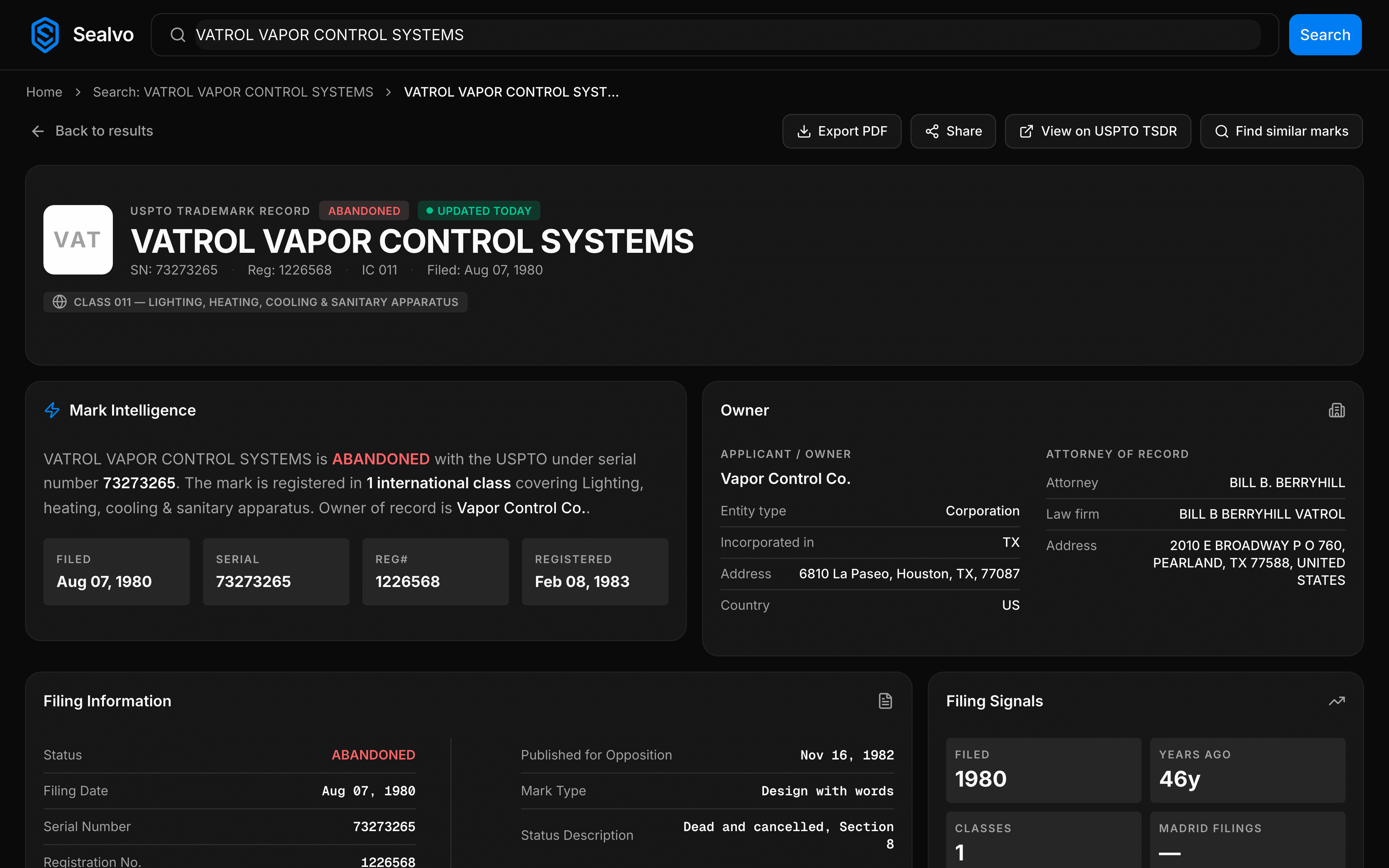
On Sealvo, the prosecution history is visible on every mark detail page — no need to go to a separate TSDR system.
Deadlines to watch
If you have a pending application, there are several deadlines that can abandon it if missed:
- Office Action response deadline: 3 months from the date the Office Action was issued (extendable to 6 months for a fee). Missing this abandons your application.
- Statement of Use deadline (intent-to-use applications only): 6 months from the Notice of Allowance. You can request up to five 6-month extensions, each costing $125 per class.
After registration, maintenance deadlines:
- Section 8 declaration: Filed between years 5 and 6 after registration, confirming you're still using the mark in commerce. Missing this cancels your registration.
- Renewal (Section 9): Filed every 10 years (with a grace period). Section 8 and 9 are often filed together.
The USPTO doesn't send automatic reminders for most of these. Track them yourself. On Sealvo, renewal dates and maintenance status are visible on each mark detail page.
Checking status on someone else's application
You can look up any trademark application, not just your own. This is useful when:
- You found a potentially conflicting pending application and want to track whether it registers or gets abandoned
- You're doing due diligence on a company you're acquiring and want to verify their trademark portfolio
- You're monitoring a competitor's filings
- You want to check if a mark you're interested in adopting has been abandoned long enough to consider safe
On Sealvo, search the serial number or the company name and click through to any record. The prosecution history shows every action taken — including whether they've responded to Office Actions, which can tell you whether an application is active or stalling.
Using TSDR vs Sealvo for status checks
The USPTO's own Trademark Status and Document Retrieval system (TSDR at tsdr.uspto.gov) is the official source for status and documents. It shows all the same information as Sealvo's prosecution history view.
The difference: TSDR is a separate tool you have to navigate to after running a search in the USPTO search system. On Sealvo, the prosecution history is integrated into the mark detail page — you search, find the record, and see everything in one place without switching tools.
Check the status of any trademark application on Sealvo — search by serial number, name, or owner. Free, instant, 15 million records. No account required.